Reports Module
This module provides users with in-depth access to application and enrollment data through a set of predefined reports. Each report is designed to provide insights into student status, campus summaries, and overall enrollment metrics. The documentation below outlines how to access these reports and explains the content and functionality of each one.
How to Access Reports
- From the main navigation bar, click on the “Reports” tab located at the top, next to the "Student" tab.
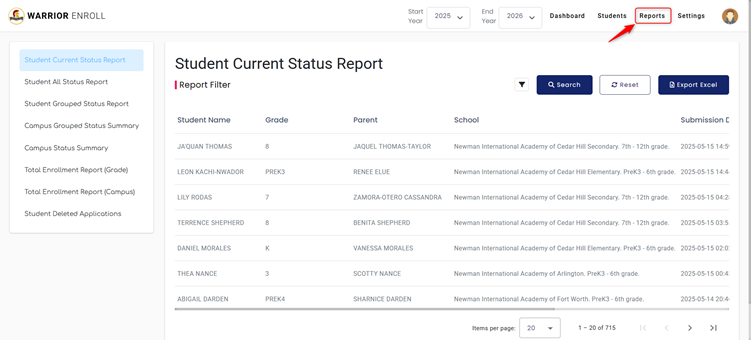
- The Reports dashboard will open, displaying a list of report categories in the left-hand side panel.
- A total of eight report types are available for viewing, filtering, and exporting.
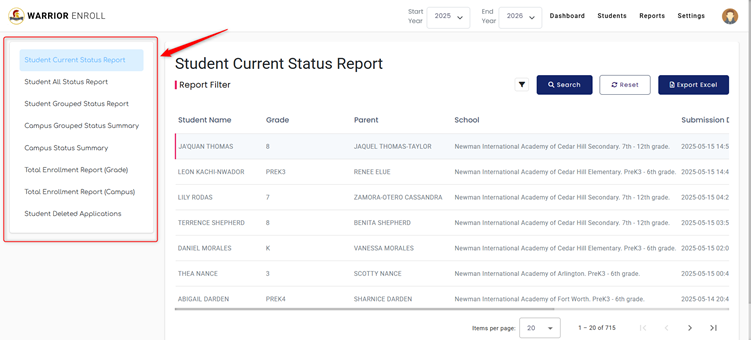
Available Reports Overview
1. Student Current Status Report
Description:
Displays the latest status of each student along with basic enrollment information. This report is ideal for viewing the real-time snapshot of student applications.
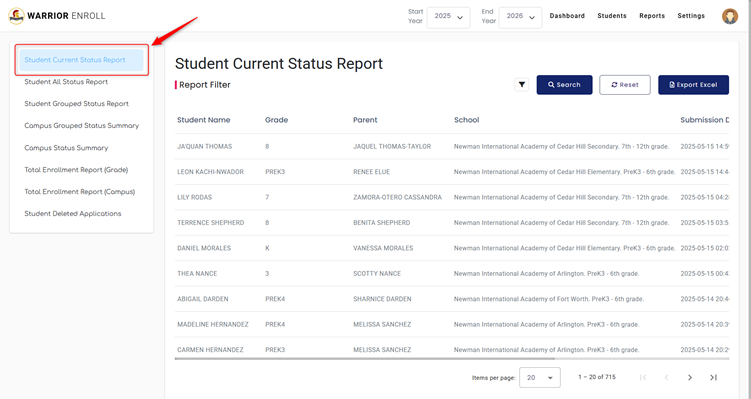
Data Columns:
- Student Name
- Grade
- Parent
- School
- Submission Date
- Current Status
- Status Date
Filters Available:
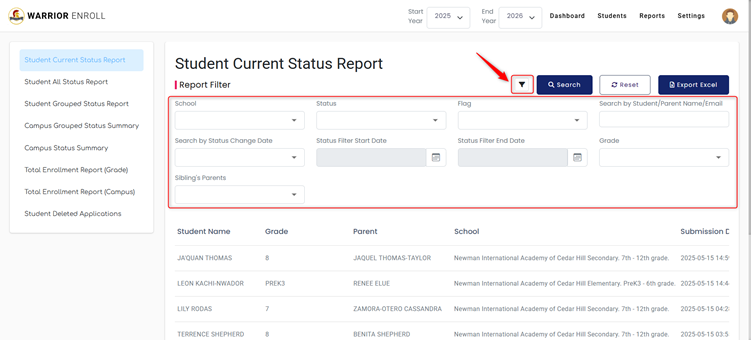
- School
- Status
- Flag
- Grade
- Status Filter Start Date / End Date
- Status Change Date
- Search by Student/Parent Name/Email
- Sibling’s Parents
Export:
- Exportable to Excel for offline analysis or data sharing.
2. Student All Status Report
Description:
Provides a complete status history of the student application process, covering all potential checkpoints. Useful for tracking student progress across various review and approval stages.
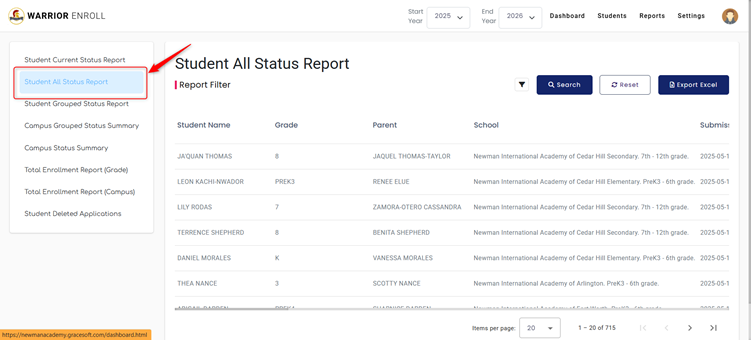
Data Columns:
- TEA Charter Application Submitted
- Enrollment Packet Submitted
- Waiting on Documents
- Homeschool Placement Test Ready
- Pre-K Evaluation Ready
- Student Support Director Review Ready
- Emergent Bilingual Coordinator Review Ready
- Secondary Counsellor Review Ready
- Principal Information Meeting Scheduled/Attended
- Enrollment Completed
- Admission Declined / Waitlisted / Withdrawn
- Tuition Pre-K On Hold
- Admissions Retracted prior to 1st Day of School
- Ready for Enrollment
- Enrollment Pre-Completed
Filters Available:
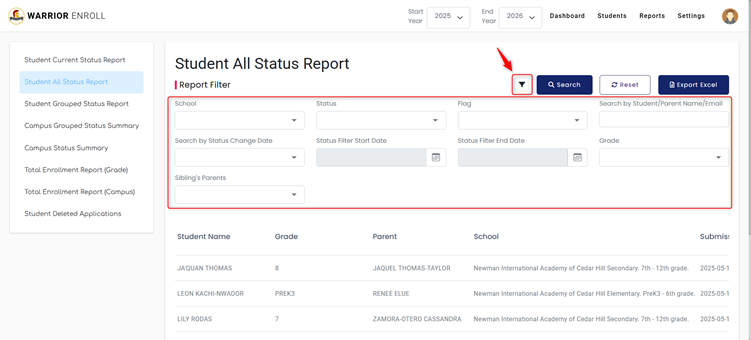
- School
- Status
- Flag
- Grade
- Status Filter Start Date / End Date
- Status Change Date
- Search by Student/Parent Name/Email
- Sibling’s Parents
Export:
- Exportable to Excel.
3. Student Grouped Status Report
Description:
Groups students by enrollment outcomes, giving a simplified summary view of key stages such as submission, enrollment, waitlisting, and retractions.
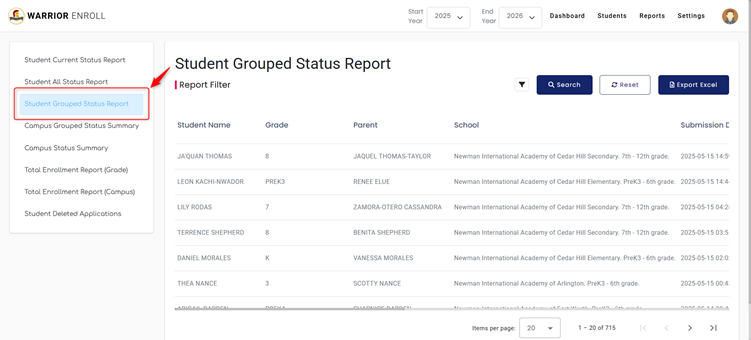
Data Columns:
- Student Name
- Grade
- Parent
- School
- Submission Date
- Current Status
- Status Date
- TEA Charter Application
- Enrollment Packet Submitted
- Enrolled
- Declined / No Response
- Retractions Prior to 1st Day
- Waitlisted
Filters Available:
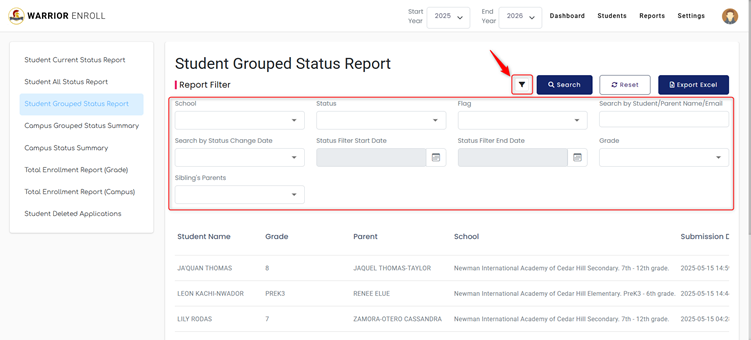
- School
- Status
- Flag
- Grade
- Status Filter Start Date / End Date
- Status Change Date
- Search by Student/Parent Name/Email
- Sibling’s Parents
Export:
- Exportable to Excel.
4. Campus Grouped Status Summary
Description:
Aggregates student application statuses by campus, providing leadership with a high-level overview of where each campus stands in the enrollment pipeline.
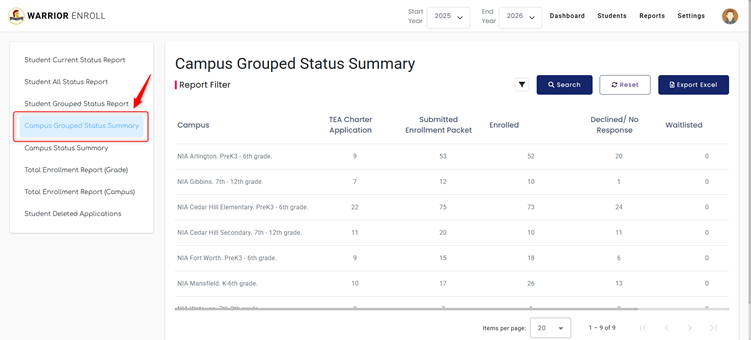
Data Columns:
- Campus
- TEA Charter Application
- Enrollment Packet Submitted
- Enrolled
- Declined / No Response
- Waitlisted
- Enrollment Retractions Prior to 1st Day
Filters Available:
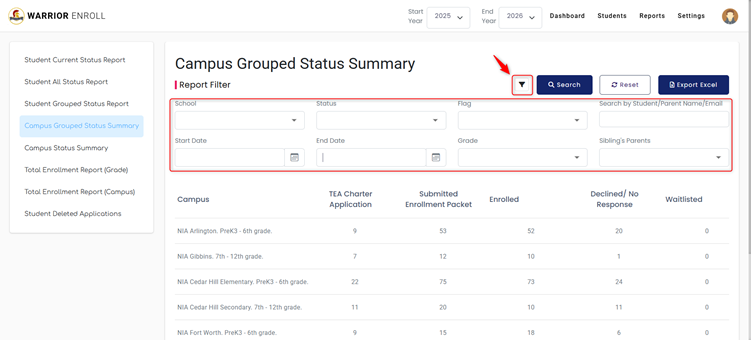
- School
- Status
- Flag
- Grade
- Start Date / End Date
- Sibling’s Parents
- Search by Student/Parent Name/Email
Export:
- Exportable to Excel.
5. Campus Status Summary
Description:
A year-to-date (YTD) performance summary for each campus. Useful for comparing enrollment efforts and outcomes across campuses.
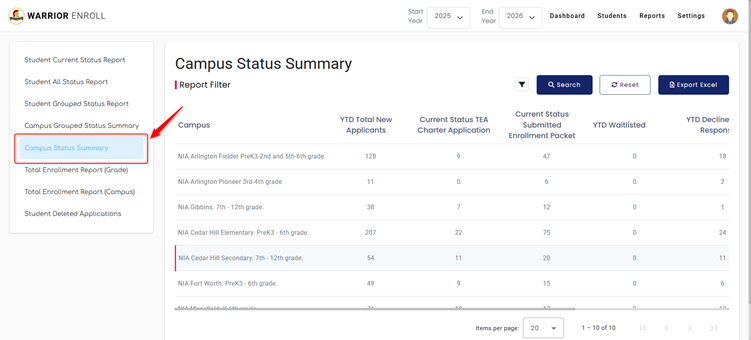
Data Columns:
- Campus
- YTD New Applicants
- Current TEA Charter Application Count
- Enrollment Packet Submitted
- YTD Waitlisted
- YTD Declined / No Response
- YTD Retractions Prior to 1st Day
- YTD Enrolled
Filters Available:
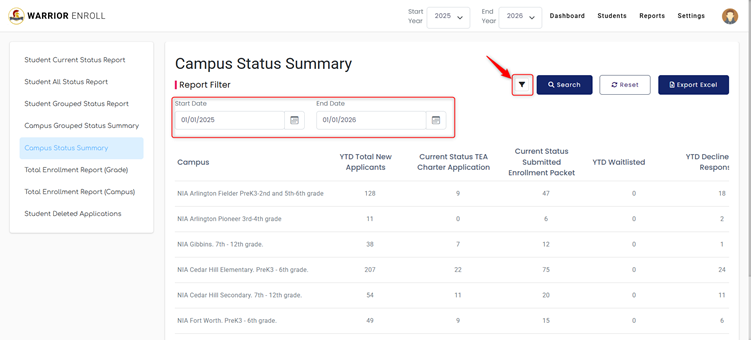
- Start Date
- End Date
Export:
- Exportable to Excel.
6. Total Enrollment Report (Grade Wise)
Description:
Breaks down total enrollment numbers by grade level, comparing current enrollment to last year, and providing capacity and movement metrics.
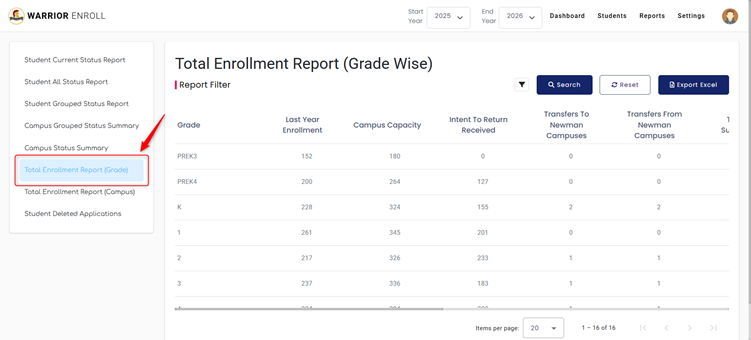
Data Columns:
- Grade
- Last Year Enrollment
- Campus Capacity
- Intent to Return Received
- Transfers To / From Newman Campuses
- TEA Submission
- New Enrollments
- Withdrawals
- Retractions
- Total Enrollment
- Open Seats
- Current Waitlist
Filters Available:
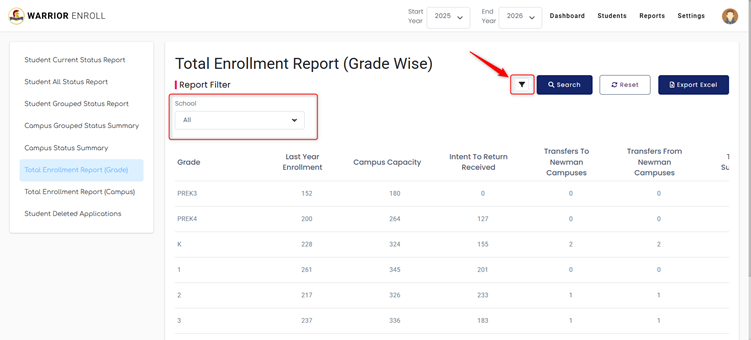
- School
Export:
- Exportable to Excel.
7. Total Enrollment Report (Campus Wise)
Description:
Presents a detailed campus-level summary of all key enrollment metrics, similar to the grade-wise version but segmented by location.
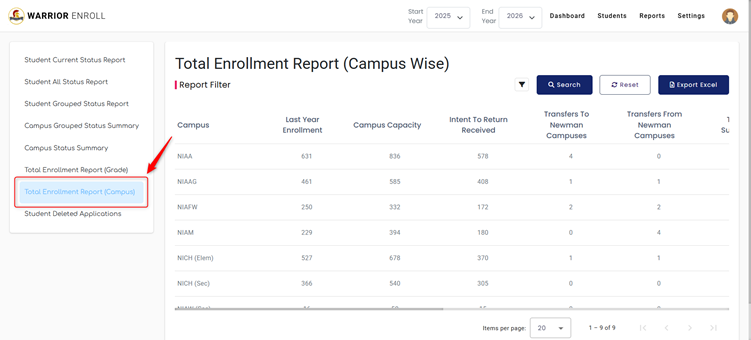
Data Columns:
- Campus
- Last Year Enrollment
- Campus Capacity
- Intent to Return Received
- Transfers To / From Newman Campuses
- TEA Submission
- New Enrollments
- Withdrawals
- Retractions
- Total Enrollment
- Open Seats
- Current Waitlist
Export:
- Exportable to Excel.
8. Student Deleted Applications
Description:
Lists all student applications that have been deleted. This report is helpful for audit trails and data recovery oversight.
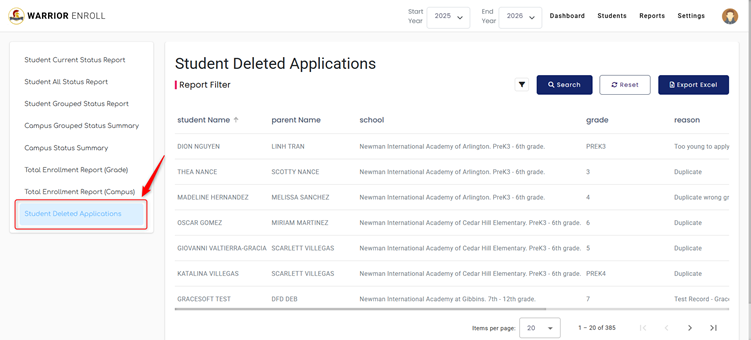
Data Columns:
- Student Name
- Parent Name
- School
- Grade
- Reason for Deletion
- Deleted By
- Deletion Timestamp
Filters Available:
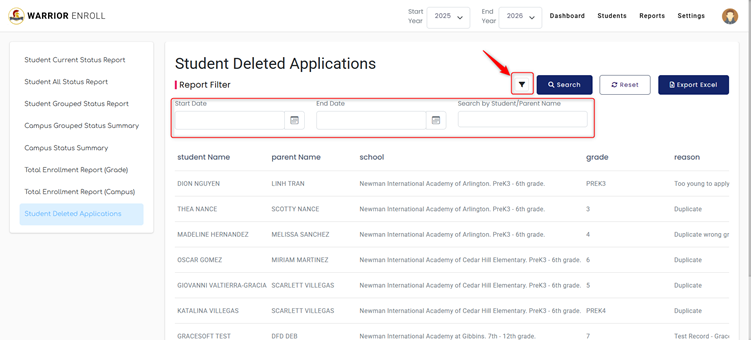
- Start Date
- End Date
- Search by Student/Parent Name
Export:
- Exportable to Excel.
Was this article helpful?
That’s Great!
Thank you for your feedback
Sorry! We couldn't be helpful
Thank you for your feedback
Feedback sent
We appreciate your effort and will try to fix the article